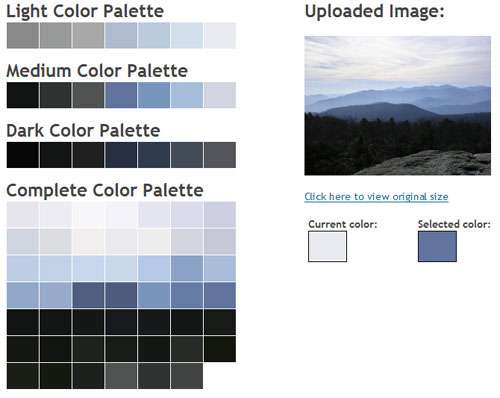
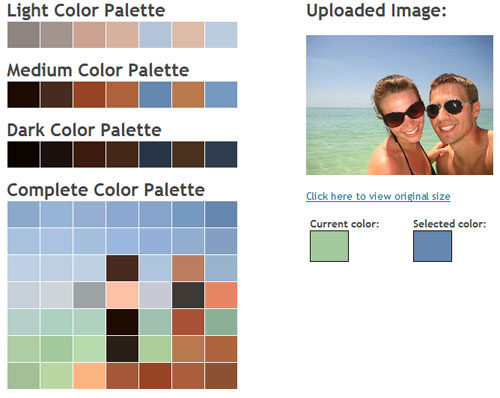
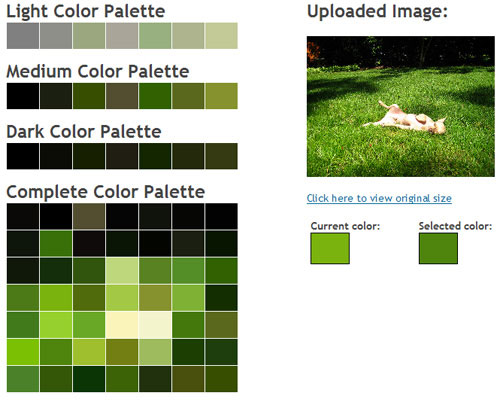
If you’ve ever considered designing an entire room around a photograph or one piece of art, Lifehacker has found the tool for you. The Color Palette Generator lets you upload an image and automatically generates a few color palettes that match. It’ll still be up to you to bring home a bunch of paint chips to find the perfect paint colors, but it’s great because it shows you three schemes – light, medium and dark – so you can pick a matching palette whether you’re going for light and airy, dark and moody or somewhere in between.
Below are some of our pictures that we played around with (even though we have zero plans to repaint any of our rooms).
A photo I took of the Blue Ridge Mountains from the summit of Old Rag:
Us vacationing in Florida last April:
Burger sunbathing in the back yard:
You can experiment for yourself (for free!) right here. Happy paint paletting…
Screenshots courtesy of CSS Drive

koca says
Very cool!
Cindy says
Crud, you’re a week too late with this. It would have been so helpful for us last week when we made our new House design selections. I was agonizing whether all the colors we chose would work with our current stuff ( especially artwork), this would have made the choices easier. Boo!!
But great find!!
Blayne says
WOW! What a cool site. Can’t wait until I get home from work to play :o)
Sarah from Create says
What a cool resource! You guys always have such great finds!
-Sarah from Create Studio
http://www.createstudio.blogspot.com
bungalow_bliss says
Well this is just too cool–and very handy!
Just what I needed–another color tool to divert my attention from work! (That’s okay, I’m not that motivated today, anyway!)
Karla says
That is so very cool! I will be passing this one along! Thanks for sharing it! :)
~Karla
ashley morgan says
Super cute Florida picture! Cool site. I would have to add in some some different pops of color though, because I don’t like things too matchy.
r8chel says
I can’t remember whether I took my camera along when I hiked Old Rag, but I definitely didn’t take any pictures. We had only been on the summit for a minute or two when we heard a sudden clap of thunder! We scrambled down from the pinnacle pretty quickly. :)
Cara says
um… FUN!
Lindsay says
Fun! Also, I like the “complete color palette” for the Burger picture. He ends up as two little boxes! ;)
Nicole says
Where in Florida did y’all vacation? Looks gorgeous!! (This cold RVA weather’s got me yearing to be somewhere warm.)
YoungHouseLove says
We actually took a road trip to Madiera Beach, FL and stayed in a little private cottage. Adorable! Here’s a post about our little vacay.
https://www.younghouselove.com/2008/04/cottage-living/
We’d totally stay there again. The cozy cottage atmosphere was amazing!
xo,
Sherry